Career Advice
How to Start an Apprenticeship Search for Free
Try a worked first search in ApprenticeWizard, then check the qualification and original advert. Search is free; saving needs an account.
Updated 3 November 2026
4 min read
3 views
Career Advice
Try a worked first search in ApprenticeWizard, then check the qualification and original advert. Search is free; saving needs an account.
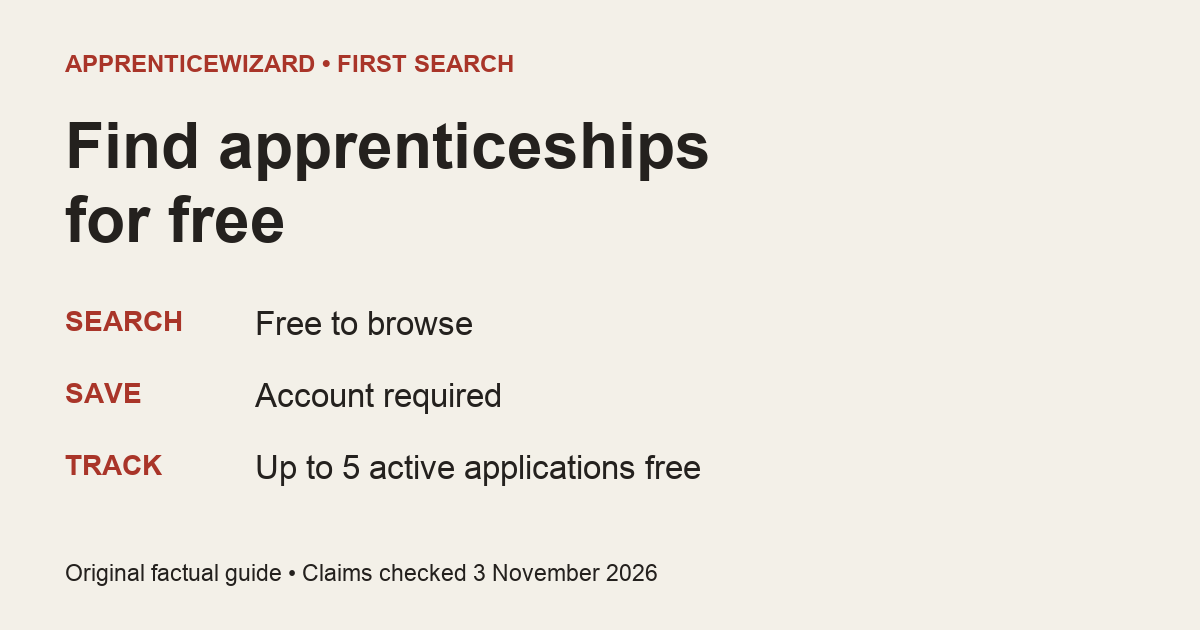
ApprenticeWizard’s Finder is free to search. You can look through opportunities before creating an account; you need an account when you want to save a role.
That is enough to start with one useful question: what kind of work do you want to investigate? You do not need a finished career plan before looking. This guide walks through a small first search, then shows what to check before turning a result into an application.
Open the ApprenticeWizard Finder. The public page has a search field and filters including apprenticeship type, sector, company and location. You can browse without signing in.
Choose a word for work you would like to explore. A broad term is useful for a first look; it gives you role titles to read rather than asking you to know the employer’s exact job title already.
Here is an original example to adapt. Suppose you are interested in making software but have not chosen an employer. Search for software. In our signed-out production check on 3 November 2026, that query populated the search field and returned software-related listings. We are not promising a particular employer, vacancy count or open role when you repeat it. Results change.
Read the titles before adding more constraints. Notice whether a listing describes software engineering, a broader technology programme or another kind of work. A shared keyword does not make those jobs interchangeable.
For this example, make a note with three headings: role title, qualification and entry requirements. Fill them from an actual listing, leaving anything you cannot find marked not stated.
Your note might begin like this:
Those are placeholders, not a real employer’s requirements. Replace them with evidence from the role you choose. If two adverts use similar titles but award different qualifications, that difference belongs in your comparison.
You can use the page’s apprenticeship-type filter when you know which route you want to investigate. Keep the employer’s actual qualification wording in view. A search category is a starting point for discovery, not a substitute for reading the advert.
Use the listing’s original source or employer destination to check its current status. Read the full entry rules, location and closing date there. A deadline that is missing from a search card is unknown; it is not permission to assume the role stays open.
If the source and summary disagree, pause before writing the application. Keep the source link and ask the employer about the specific unclear point. Do not turn an unexplained qualification label into a promise about what you will graduate with.
This first search is successful when it gives you a role worth checking properly. It does not need to end with an application today. Once you have checked the advert, the application strategy guide can help you decide how to prepare your next step.
Search is free. Saving a role requires an account. The current terms, section 7.1 also say tracking is free for up to five active applications, with no credit card required. That is a limit, not unlimited tracking.
Keep those actions separate in your mind. Browsing lets you investigate. Saving keeps a role for later. An employer application still needs its own careful submission through the stated route. Saving something on ApprenticeWizard does not mean you have applied for it.
Paid preparation features are separate from this free search journey. You do not need to buy a preparation plan just to start looking through the Finder.
A useful first search can be modest: one kind of work, a role whose qualification you understand, and an original advert you have checked. If the result is unsuitable, you have still learned a more precise term to try next.
Search and account claims checked on 3 November 2026. Examples are original illustrations, not vacancies or promises of an offer. Start with one work-related term in the Finder.
About
Read Yusuf's story, why Apprentice Wizard exists, and what's being built next.
About the founderNov 2026
Lloyds Banking Group's Actuarial Apprentice role in Bristol pays £27,400 a year for five years from September 2027. You need 104 UCAS points including a B in A level maths. Closes 12 January 2027.
Nov 2026
Six example lines for an apprenticeship video interview: start with hello, name the question, say what you did and what happened, handle tech problems and close with thanks.
Nov 2026
You can usually ask to move an apprenticeship interview. Ask early, give two times and say you're still keen. Example lines for rescheduling, running late and asking for adjustments.
© 2026 Apprentice Wizard. All rights reserved.
Logos provided by Logo.devFind an apprenticeship, turn it into a managed application, and know what to do next.